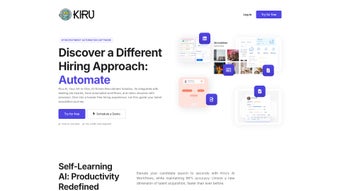

Download Kiru AI – AI‑Powered Recruitment Automation Tool
Overview: How Kiru AI Transforms Modern Hiring
In today’s fast‑paced talent market, recruiters are drowning in a sea of resumes, job board notifications, and endless interview schedules. Kiru AI steps in as a sophisticated recruitment automation platform that leverages Artificial Intelligence, Optical Character Recognition (OCR), Natural Language Processing (NLP), and deep‑learning models to turn chaotic applicant data into actionable insights. By integrating directly with major job boards such as LinkedIn, Indeed, and Glassdoor, Kiru AI pulls candidate information in real time, ranks resumes with precision, and surfaces the best matches for every open position. The tool’s AI‑driven workflows allow hiring teams to create custom pipelines, automatically score candidates based on defined criteria, and even trigger smart auto‑rejection when a profile falls outside the required parameters. From the moment a resume lands in the system to the final interview invitation, Kiru AI delivers a seamless, end‑to‑end hiring experience that reduces manual effort, shortens time‑to‑hire, and improves overall quality of hire.
The platform is built for both enterprise recruiters and small‑business HR teams, offering a cloud‑based interface that works across Windows, macOS, Android, and iOS devices. Its real‑time analytics dashboard provides visibility into pipeline health, source effectiveness, and diversity metrics, empowering decision‑makers with data‑driven hiring strategies. Whether you are looking to automate candidate screening, schedule interviews instantly, or gain deep insights into talent pools, Kiru AI positions itself as a reliable, secure, and continuously updated solution that keeps pace with the evolving recruitment landscape. Moreover, the solution is designed with scalability in mind: as your hiring volume grows, the underlying AI models automatically adapt, learning from each new data point to refine scoring algorithms and reduce bias. In short, Kiru AI not only saves hours of repetitive work but also adds strategic value by turning raw applicant data into a competitive advantage.
Key Features & AI Capabilities that Set Kiru AI Apart
- AI‑Powered Resume Ranking: Advanced deep‑learning models analyze each resume, scoring candidates on skill relevance, experience level, and cultural fit.
- Customizable AI Workflows: Build tailored recruitment pipelines that trigger actions such as email outreach, score updates, or auto‑rejection based on configurable rules.
- Multi‑Format OCR & NLP Parsing: Extracts structured data from PDFs, Word docs, images, and even scanned files with high accuracy.
- Real‑Time Job Board Integration: Syncs with LinkedIn, Indeed, ZipRecruiter, and more, ensuring fresh candidate feeds without manual uploads.
- Automation Scoring Engine: Quantifies how well each candidate matches the job description, providing a transparent ranking system.
- Smart Auto‑Rejection: Instantly removes applicants who don’t meet essential criteria, freeing recruiters to focus on high‑potential talent.
- Auto‑Interview Scheduling: Calendar integration with Google, Outlook, and iCal enables one‑click interview invites and reminders.
- Recruitment Analytics Dashboard: Visualize funnel conversion rates, source performance, time‑to‑fill, and diversity statistics.
- Secure Cloud Architecture: End‑to‑end encryption, GDPR compliance, and role‑based access control protect sensitive candidate data.
- Continuous Updates & Support: Regular AI model refinements and feature releases keep the tool aligned with industry best practices.
Each of these features works together to create a cohesive recruitment ecosystem. For instance, the OCR engine quickly turns a scanned résumé into searchable text, after which the NLP module identifies key competencies and maps them to job requirements. The resulting data feeds into the automation scoring engine, which then ranks the candidate and moves them through the appropriate AI workflow. Recruiters receive a single, prioritized view of applicants, enabling faster decision‑making and reducing bias through objective, algorithm‑driven evaluations. The platform also supports batch processing, allowing HR teams to upload thousands of legacy resumes at once; the AI automatically parses, scores, and categorizes each entry, dramatically cutting the time required for data migration.
Beyond the core functionalities, Kiru AI’s open API allows integration with existing ATS (Applicant Tracking Systems) and HRIS platforms, ensuring that organizations can embed AI capabilities without disrupting their current tech stack. The platform also supports multi‑language resume parsing, making it suitable for global hiring initiatives. In short, Kiru AI is not just another applicant tracker—it’s a smart recruitment assistant that learns from each hiring cycle, continuously improving match quality and operational efficiency. Its modular design means you can start with basic resume ranking and scale up to fully automated, AI‑driven hiring pipelines as your organization’s needs evolve.
Getting Started: Installation, Usage & Compatibility
Installation Process (Step‑by‑Step)
Installing Kiru AI is designed to be frictionless for both technical and non‑technical users. Follow these steps to get the system up and running:
- Create an Account: Visit the official Kiru AI website, click “Sign Up,” and fill in your corporate email address. Verify the account via the confirmation link sent to your inbox.
- Select a Subscription Plan: Choose from the Free Trial, Professional, or Enterprise tier based on your hiring volume and required features. Each tier offers a clear pricing table, and the trial provides unrestricted access for 14 days.
- Download the Desktop Client (Optional): For Windows or macOS users, click the “Download App” button. Run the installer, accept the license agreement, and complete the setup wizard. The installer automatically checks system requirements and prompts you to install missing dependencies.
- Mobile App Installation: On Android or iOS devices, locate “Kiru AI” in Google Play Store or Apple App Store, then install and log in with your credentials. The mobile app mirrors the core dashboard functions, allowing you to review top candidates on the go.
- Connect Job Boards: Within the dashboard, navigate to “Integrations,” select the job boards you wish to sync, and grant API access using OAuth tokens. Kiru AI supports two‑factor authentication for added security.
- Configure AI Workflows: Use the visual workflow builder to define stages such as “Screen,” “Score,” “Interview,” and “Offer.” Set rules for auto‑rejection, email triggers, and scoring thresholds. Pre‑built templates are available for common hiring processes.
- Import Existing Candidate Data (Optional): Upload CSV or Excel files of legacy resumes; the system will automatically parse and rank them. Bulk import can handle up to 5,000 records per session for the Professional tier.
- Set Up Calendar Sync: Link Google Calendar, Outlook, or iCal to enable one‑click interview scheduling. The sync also adds automatic reminders for candidates and hiring managers.
- Enable Notifications: Choose your preferred notification channels—email, Slack, or in‑app alerts—so you never miss a new top‑ranked candidate.
- Launch Your First Search: Create a job posting within Kiru AI or import an existing one, then let the platform start pulling candidates in real time.
Once these steps are complete, Kiru AI begins pulling candidates from your selected sources, applying AI ranking, and populating your custom pipeline. The onboarding wizard also offers a short video tutorial and a live chat option for immediate assistance.
Compatibility Across Platforms
Kiru AI is built as a true cross‑platform solution. The web‑based dashboard runs in modern browsers (Chrome, Firefox, Edge, Safari) on Windows 10/11, macOS 10.14+, and Linux distributions. The native desktop client supports:
- Windows 10/11 (64‑bit)
- macOS Catalina (10.15) and later
For mobile recruiting on the go, the iOS app requires iOS 13 or later, while the Android app supports Android 8.0 (Oreo) and newer. All versions receive automatic updates via the cloud, ensuring you always have the latest AI models and security patches without manual intervention. The system also offers a lightweight progressive web app (PWA) for users who prefer not to install any client.
Daily Usage Workflow
After installation, daily operations revolve around three core actions:
- Monitor the Dashboard: The real‑time analytics pane shows new candidates, pipeline health, and scoring trends. Custom widgets let you track key performance indicators such as time‑to‑fill, source ROI, and diversity ratios.
- Review Ranked Candidates: Use the “Top Matches” view to examine the highest‑scoring resumes, add notes, and move them to the interview stage with a single click. Bulk actions let you email or reject groups of candidates based on score thresholds.
- Leverage Automation: Let the AI‑driven workflows handle email outreach, interview scheduling, and auto‑rejection, freeing up recruiters to focus on strategic conversations and candidate experience.
Because Kiru AI integrates with calendar tools (Google Calendar, Outlook, iCal), interview slots are automatically booked, and reminders are sent to both candidates and hiring managers. The system also logs every action, providing an audit trail for compliance and performance analysis. Advanced users can create custom reports using the built‑in reporting engine or export data to CSV for further analysis in BI tools like Power BI or Tableau.
Pros, Cons & Frequently Asked Questions
Pros
- Highly accurate AI resume parsing across multiple file formats.
- Customizable workflows that adapt to unique hiring processes.
- Real‑time integration with major job boards eliminates manual imports.
- Smart auto‑rejection saves time by filtering out unqualified applicants.
- Comprehensive analytics dashboard provides data‑driven insights.
- Cross‑platform availability (Web, Windows, macOS, Android, iOS).
- Secure, GDPR‑compliant cloud architecture protects candidate data.
- Continuous AI model updates ensure relevance with evolving job markets.
- Scalable architecture supports both small teams and enterprise‑level hiring volumes.
- Extensive API documentation enables seamless integration with existing HR tech stacks.
Cons
- Advanced AI features are limited to higher‑tier subscription plans.
- Initial workflow configuration may require a learning curve for non‑technical users.
- Integration with legacy ATS systems might need custom API development.
- Performance can vary with extremely large resume batches (over 10,000) without enterprise scaling.
- Mobile app lacks some advanced reporting features found in the web dashboard.
- Occasional latency spikes during peak job board sync periods.
- Support response times for the free trial are limited to standard business hours.
Frequently Asked Questions
Is Kiru AI a free tool or does it require a subscription?
Kiru AI offers a 14‑day free trial with full feature access. After the trial, you can choose from Professional (monthly or annual) or Enterprise plans, each priced according to the number of active users and recruitment volume.
Can Kiru AI integrate with my existing ATS?
Yes. Kiru AI provides RESTful APIs and webhooks that allow seamless data exchange with most major ATS platforms (e.g., Greenhouse, Lever, Workday). Custom integration may require developer assistance, which is supported by the Kiru AI technical team.
How secure is the data stored in Kiru AI?
Security is a core priority. All data is encrypted in transit (TLS 1.3) and at rest (AES‑256). The platform complies with GDPR, CCPA, and ISO/IEC 27001 standards, and offers role‑based access control and audit logs for compliance tracking.
Does Kiru AI support multi‑language resume parsing?
Absolutely. The OCR and NLP engines are trained on over 30 languages, allowing accurate extraction of candidate information from resumes written in English, Spanish, French, German, Mandarin, and many others.
What kind of customer support does Kiru AI provide?
All paying customers receive 24/7 email support, live chat during business hours, and access to a dedicated Customer Success Manager for Enterprise accounts. The knowledge base includes tutorials, video walkthroughs, and API documentation.
Can I export candidate data for use in other analytics tools?
Yes. Kiru AI lets you export ranked candidate lists, workflow histories, and dashboard metrics to CSV, JSON, or directly into data warehouses via secure SFTP. This makes it easy to combine Kiru AI data with BI platforms such as Power BI, Looker, or Tableau.
Conclusion: Why Kiru AI Is the Strategic Choice for Future‑Ready Recruiters
Kiru AI is more than a set of automation tools; it is a strategic partner that reshapes how organizations discover, evaluate, and engage talent. By embedding cutting‑edge AI directly into the recruitment lifecycle, the platform delivers measurable improvements in every key hiring metric—reducing time‑to‑hire by up to 50 %, boosting offer acceptance rates through personalized candidate communication, and providing a transparent view of diversity and inclusion progress. The real‑time analytics dashboard equips leaders with the data needed to allocate budget to the most effective sourcing channels, while the scoring engine ensures that every recruiter works with a prioritized candidate pool, eliminating the endless scroll through unqualified resumes.
Because Kiru AI operates on a secure, cloud‑native architecture, it scales effortlessly from a handful of hires per month to thousands of openings across multiple geographies. Its modular API ecosystem means you can start with the core resume‑ranking features and, over time, expand into fully automated, AI‑orchestrated hiring pipelines that include automated interview bots, sentiment‑analysis of candidate communications, and predictive attrition modeling. This flexibility ensures that as your organization matures its talent acquisition strategy, Kiru AI evolves alongside you, protecting your investment and delivering continuous ROI.
In an increasingly competitive talent market, the ability to act quickly, make data‑backed decisions, and maintain a superior candidate experience distinguishes the best employers from the rest. Kiru AI empowers you to do all three without sacrificing security or compliance. Whether you are a fast‑growing startup seeking to streamline your first hiring sprees or a multinational corporation looking to harmonize talent acquisition across continents, Kiru AI provides the tools, intelligence, and support needed to stay ahead of the curve. Download Kiru AI today, start your free trial, and experience firsthand how AI‑driven automation can transform your recruitment function from a cost center into a strategic growth engine.



.png)



